
-429a29e90b37.webp) Counter Strike 2
Counter Strike 2Best CS2 Mouse & Sensitivity Settings
Your mouse settings are one of the most personal aspects of Counter Strike 2. While graphics settings or keybinds can often be copied with little adjustment, your sensitivity directly affects how you aim, track enemies, and build muscle memory. Choosing the right settings won't instantly make you a better player, but it creates a consistent foundation that allows your aim to improve over time.
Many new players constantly change their sensitivity after a few bad matches, hoping to find the "perfect" number. In reality, frequent changes usually slow improvement because your muscles never have enough time to adapt. The best sensitivity is one that feels comfortable, allows precise control, and remains consistent across hundreds of matches.
Professional players use a wide range of sensitivities, but most fall within a relatively narrow range that balances speed with accuracy. Understanding concepts like DPI, in game sensitivity, eDPI, and raw input will help you make informed decisions instead of simply copying another player's setup.
In this guide, you'll learn how mouse sensitivity works in CS2, how to calculate your eDPI, common mistakes to avoid, and practical tips for finding the settings that suit your playstyle.
Why Mouse Settings Matter
Every movement you make in Counter Strike 2 begins with your mouse.
Your settings influence:
Flick accuracy
Micro adjustments
Recoil control
Tracking moving targets
Crosshair placement
Overall consistency
A good sensitivity won't compensate for poor mechanics, but it makes developing those mechanics much easier.
Understanding DPI
DPI stands for Dots Per Inch and determines how far your cursor moves based on your mouse movement.
A higher DPI means the cursor travels farther with the same physical movement, while a lower DPI requires moving the mouse a greater distance.
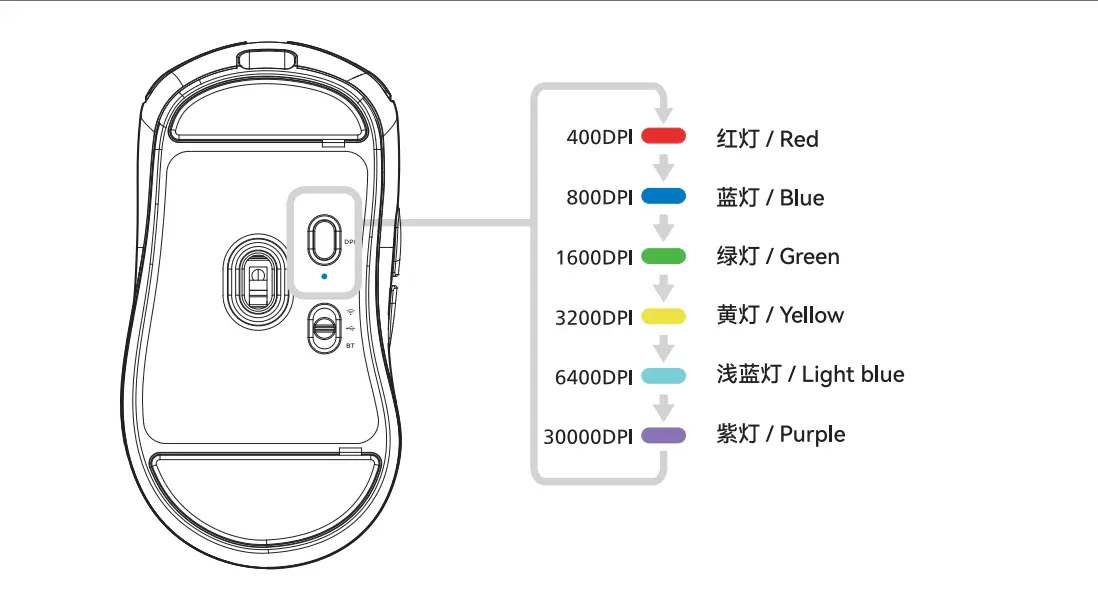
Common DPI values include:
400 DPI
800 DPI
1600 DPI
3200 DPI
For CS2, most experienced players use either 400 or 800 DPI because they provide excellent precision without making the mouse feel overly sensitive.
What Is In Game Sensitivity?
Your in game sensitivity multiplies your mouse's DPI.
For example:
400 DPI + 2.0 sensitivity
800 DPI + 1.0 sensitivity
These combinations produce the same effective sensitivity.
Because of this, looking at DPI alone doesn't tell the full story.
Understanding eDPI
One of the most useful measurements in Counter Strike is eDPI (Effective DPI).
It combines your DPI with your in game sensitivity to create a single value that represents your overall mouse speed.
The formula is simple:
eDPI = DPI × In Game Sensitivity
For example:
400 DPI × 2.0 = 800 eDPI
800 DPI × 1.0 = 800 eDPI
Although the DPI values differ, the overall sensitivity feels almost identical.
This is why experienced players compare eDPI instead of DPI alone.
Choosing the Right Sensitivity
There is no universal "best" sensitivity.
Instead, think about your playstyle.
Lower Sensitivity
Lower sensitivity generally offers:
Better precision
Easier recoil control
More accurate long range aiming
Smoother crosshair placement
The trade off is that larger mouse movements are required to turn quickly.
Higher Sensitivity
Higher sensitivity provides:
Faster turns
Quicker reactions to nearby opponents
Easier movement in close range fights
However, extremely high sensitivity often makes precise aiming more difficult.
Most players eventually settle somewhere in the middle where they can comfortably perform both flicks and fine adjustments.
Raw Input
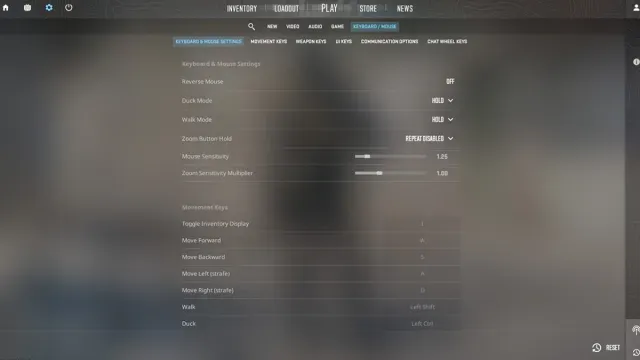
Raw Input allows Counter Strike 2 to read information directly from your mouse rather than through Windows mouse acceleration.
For competitive play, Raw Input should remain enabled.
This ensures consistent movement regardless of your Windows pointer settings.
Zoom Sensitivity
Zoom sensitivity controls how your mouse behaves while using scoped weapons such as the AWP, Scout (SSG 08), AUG, and SG 553.
Many players leave this setting at its default value, while others adjust it slightly to better match their normal sensitivity.
If you regularly play sniper rifles, spend some time testing different zoom sensitivity values until scoped aiming feels natural.
The key is consistency rather than chasing a specific number.
Windows Mouse Settings
Even if your CS2 settings are perfect, incorrect Windows settings can negatively affect your aim.
For competitive play, it's recommended to:
Set Windows pointer speed to the default middle position (6/11).
Disable Enhance Pointer Precision (Windows mouse acceleration).
Use Raw Input in CS2.
Keep your mouse firmware and drivers updated.
These settings help ensure your mouse movement remains consistent across every match.
Finding Your Ideal Sensitivity
Instead of copying a professional player's setup, spend time finding what feels comfortable for you.
A simple testing routine:
Load into a practice map or Aim Botz.
Practice tracking moving targets.
Perform 180 degree turns.
Flick between multiple targets.
Spray at medium range.
Play several competitive matches before making any changes.
Avoid changing your settings after one bad game. Your muscles need time to adapt.
Common Mouse Setting Mistakes
Many players unknowingly make their aim less consistent through poor habits.
Constantly Changing Sensitivity
Switching sensitivity every few matches prevents muscle memory from developing.
Choose one sensitivity and use it consistently for several weeks before deciding whether it needs adjustment.
Using Extremely High Sensitivity
Very high sensitivity may feel fast, but it often causes over aiming and inconsistent flicks.
If you frequently miss because your crosshair moves past the target, your sensitivity may be too high.
Using Extremely Low Sensitivity
Very low sensitivity provides excellent precision but can make it difficult to react to enemies behind you or quickly clear multiple angles.
Choose a setting that balances precision with mobility.
Ignoring Mousepad Size
Your available desk space matters.
Lower sensitivity requires larger arm movements, so a larger mousepad is highly recommended.
Players using compact mousepads may need a slightly higher sensitivity to remain comfortable.
Copying Professional Players Exactly
Professional players use different:
Mousepads
Mice
Monitor sizes
Desk setups
Seating positions
Their settings are useful references, but your own comfort should always come first.
Tips for Building Better Aim
Good mouse settings are only part of the equation.
To improve your aim faster:
Practice crosshair placement.
Learn recoil control.
Play aim training maps.
Warm up before competitive matches.
Stay consistent with your settings.
Focus on accuracy before speed.
Developing strong fundamentals will have a much greater impact than changing your sensitivity every week.
Conclusion
Finding the best mouse and sensitivity settings in Counter Strike 2 is less about discovering a magical number and more about building consistency. Understanding how DPI, in game sensitivity, eDPI, Raw Input, and zoom sensitivity work together allows you to make informed adjustments that suit your own playstyle. Once you find a comfortable setup, resist the temptation to change it after every bad match. Stable settings give your muscle memory time to develop, leading to smoother aim and more reliable performance.
Remember that great aim comes from practice, not just configuration. Combine a consistent sensitivity with strong crosshair placement, recoil control, movement, and regular practice to see steady improvement over time. Whether you're a beginner or climbing the competitive ranks, a well tuned mouse setup provides the foundation you need to perform at your best in every CS2 match.