
 Valorant
Best Valorant Sensitivity Settings: Find Your Perfect Aim 2026
Your mouse sensitivity is one of the most important settings in Valorant. While no sensitivity can instantly improve your aim, using one that feels comfortable and consistent makes it much easier to build muscle memory and land accurate shots. Many players constantly change their settings after a few bad games, but frequent adjustments often do more harm than good.
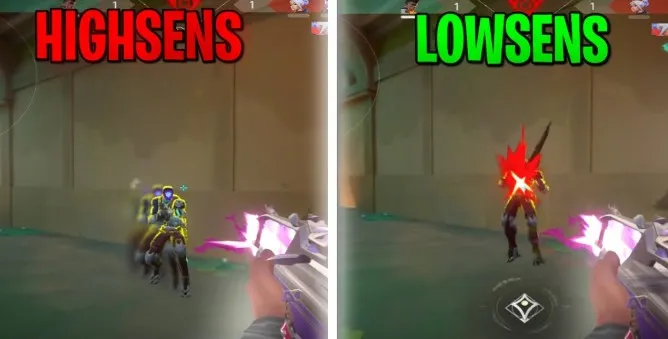
Finding the right sensitivity is about balance. A setting that's too high can make your crosshair difficult to control, causing you to overshoot targets. On the other hand, a sensitivity that's too low may require large arm movements, making it harder to react quickly in close range fights. The goal is to find a setting that lets you aim naturally while maintaining precision.
Another reason sensitivity matters is because Valorant rewards accurate first shots. Unlike fast paced arena shooters that encourage constant movement and spraying, Valorant emphasizes controlled crosshair placement and disciplined mouse movement. A consistent sensitivity helps you develop these habits over time.
In this guide, we'll explain DPI, eDPI, in game sensitivity, scoped sensitivity, and how to find the best settings for your playstyle.
Why Sensitivity Matters
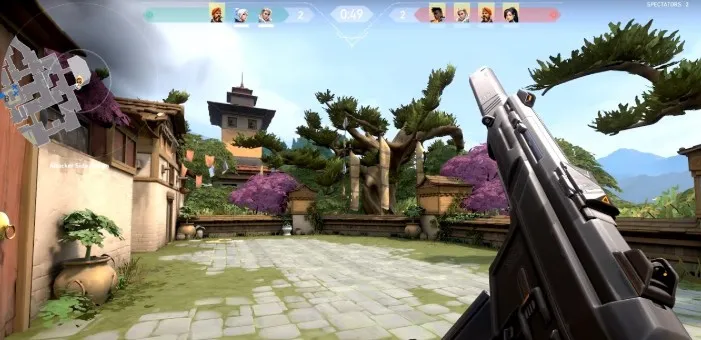
Good sensitivity makes aiming feel natural.
Instead of fighting against your mouse, your movements become predictable and consistent.
Choosing the right sensitivity helps you:
Build muscle memory.
Improve crosshair placement.
Track moving enemies more smoothly.
Land more headshots.
Reduce unnecessary overcorrections.
Consistency is far more important than using the exact same settings as a professional player.
What Is DPI?
DPI stands for Dots Per Inch.
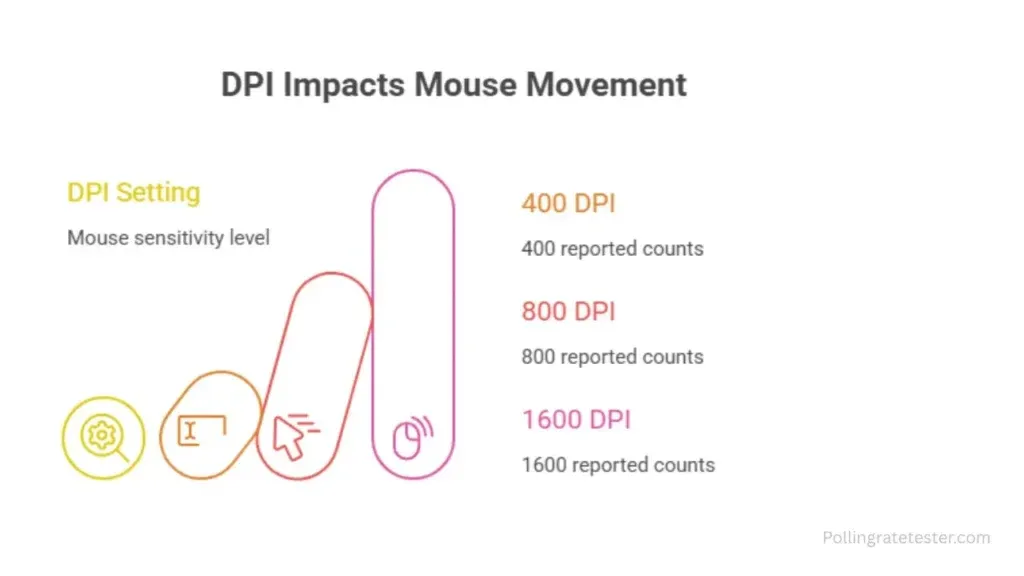
It measures how far your cursor moves on the screen for every inch your mouse travels.
For example:
400 DPI = slower cursor movement.
800 DPI = medium cursor movement.
1600 DPI = faster cursor movement.
DPI is configured through your mouse software rather than inside Valorant.
Many competitive players prefer 400 or 800 DPI because these settings provide excellent precision without sacrificing responsiveness.
What Is In Game Sensitivity?
In game sensitivity is the multiplier applied to your mouse movement inside Valorant.
Two players can use the same DPI but feel completely different if their in game sensitivity differs.
For example:
Player A: 800 DPI × 0.30 sensitivity
Player B: 800 DPI × 0.60 sensitivity
Player B's crosshair will move twice as far with the same mouse movement.
Understanding eDPI
One of the most common terms you'll hear in Valorant is eDPI, which stands for Effective DPI.
eDPI combines your mouse DPI with your in game sensitivity, making it easier to compare settings between players.
Formula:
eDPI = DPI × In Game Sensitivity
For example:
400 DPI × 0.50 = 200 eDPI
800 DPI × 0.25 = 200 eDPI
Although the DPI values differ, both players have the same effective sensitivity.
Using eDPI makes comparing settings much more meaningful than looking at DPI alone.
What eDPI Range Is Best?
There isn't one perfect number, but most experienced players fall within a moderate range.
Generally:
Low eDPI: Better precision and long range control.
Medium eDPI: Balanced for most players.
High eDPI: Faster turns but less precise.
Rather than copying someone else's numbers, focus on finding a range that feels comfortable and allows you to aim consistently.
Should You Copy Professional Players?
Many players search for professional sensitivity settings hoping they'll improve overnight.
However, professional players use different setups based on:
Mousepad size.
Desk space.
Grip style.
Years of muscle memory.
Personal preference.
A professional player's settings aren't automatically the best choice for you.
Instead of copying them exactly, use them as a starting point and make small adjustments until the sensitivity feels natural.
How to Find Your Ideal Sensitivity
Finding the right sensitivity takes patience.
Start with a comfortable baseline and play several matches before making changes.
If you constantly overshoot enemies, slightly lower your sensitivity.
If you frequently struggle to reach targets quickly, consider increasing it a little.
Make only one adjustment at a time so you can clearly feel the difference.
Arm Aim vs Wrist Aim
Different players aim in different ways.
Arm Aim
Arm aim uses larger movements from the shoulder and forearm.
Advantages include:
Greater precision.
Smoother tracking.
Better consistency at longer ranges.
Wrist Aim
Wrist aim relies on smaller hand movements.
Advantages include:
Faster reactions.
Easier flick shots.
Less desk space required.
Many players naturally combine both techniques depending on the situation.
Scoped Sensitivity Explained
If you frequently use weapons like the Operator or Marshal, scoped sensitivity is another setting worth understanding.
Scoped sensitivity controls how quickly your crosshair moves while you're zoomed in.
Many players leave this setting at its default value because it provides a familiar feel across different weapons.
However, if scoped aiming feels too fast or too slow, small adjustments can improve consistency.
Avoid making large changes unless you've spent enough time testing them.
Windows Mouse Settings
Your operating system also affects your aiming.
For the best experience, keep your Windows mouse settings consistent.
Recommended practices include:
Leave your Windows pointer speed at the default middle position.
Disable Enhance Pointer Precision (mouse acceleration).
Keep your mouse polling rate consistent if your mouse software allows it.
Disabling mouse acceleration ensures your cursor moves based solely on your physical mouse movement, helping you build reliable muscle memory.
Should You Change Your Sensitivity Often?
One of the biggest mistakes players make is constantly changing their sensitivity after every bad match.
Missing a few shots doesn't necessarily mean your settings are the problem.
Instead:
Play several matches before evaluating your sensitivity.
Make only small adjustments when necessary.
Give yourself time to adapt before changing it again.
Consistency is one of the biggest contributors to long term improvement.
Signs Your Sensitivity Is Too High
A sensitivity that's too high often causes players to lose precision.
Common signs include:
Frequently overshooting enemies.
Struggling with long range headshots.
Constantly making tiny corrective movements.
Feeling shaky while holding angles.
If this sounds familiar, lowering your sensitivity slightly may help.
Signs Your Sensitivity Is Too Low
A sensitivity that's too low can also create problems.
You might notice:
Difficulty turning quickly.
Running out of mousepad space.
Slow reactions during close range fights.
Feeling physically tired after long sessions.
In this case, increasing your sensitivity a small amount may improve comfort without sacrificing accuracy.
Common Sensitivity Mistakes
Many players delay their improvement by developing poor habits around their settings.
Copying Professional Players Exactly
Professional settings work because those players have spent years adapting to them.
Use their configurations as inspiration, not as a guarantee of better aim.
Changing Settings Too Frequently
Muscle memory takes time to develop.
Changing sensitivity every few matches forces your brain to start over repeatedly.
Ignoring Mousepad Size
Players with smaller mousepads often need slightly higher sensitivities than those using large desk mats.
Choose settings that fit your available space.
Focusing Only on DPI
DPI alone doesn't determine how your aim feels.
Always consider both DPI and in game sensitivity together by looking at your effective DPI (eDPI).
Chasing the "Perfect" Number
There isn't one magical sensitivity that works for everyone.
Comfort, consistency, and regular practice matter far more than any specific value.
Conclusion
Finding the best Valorant sensitivity isn't about copying professional players or chasing a perfect number it's about discovering a setting that feels comfortable and allows you to build consistent muscle memory. Understanding how DPI, in game sensitivity, and eDPI work together will help you make informed adjustments instead of relying on guesswork. Once you've found a comfortable setup, resist the urge to change it after every bad game.
Remember that your sensitivity is only one piece of the aiming puzzle. Strong crosshair placement, disciplined movement, recoil control, and regular practice will always have a greater impact on your performance than any single setting. Use your sensitivity as a foundation, stay consistent, and focus on improving your mechanics over time for the best long term results.