
 Roblox Rivals
Best Sensitivity for Roblox Rivals: Mouse & Controller Settings 2026
Finding the right sensitivity is one of the fastest ways to improve your performance in Roblox Rivals. While many players spend hours searching for the best weapons or strongest loadouts, they often overlook the importance of consistent aim settings. A sensitivity that feels natural allows you to react faster, track moving enemies more accurately, and build the muscle memory needed to win more gunfights.
There isn't a universal sensitivity that works for everyone. The ideal settings depend on your mouse DPI, monitor size, desk space, and personal playstyle. A professional player's sensitivity may feel far too slow or too fast on your own setup, which is why blindly copying settings rarely produces the best results.
Instead of searching for a magic number, it's better to understand how sensitivity affects aiming and how to adjust it gradually. Small changes combined with regular practice will always outperform constantly switching settings after every match.
This guide explains how sensitivity works in Roblox Rivals, recommended ranges for mouse and controller players, common mistakes to avoid, and practical tips to help you build consistent aim.
Why Sensitivity Matters
Sensitivity determines how far your crosshair moves in response to your mouse or controller input.
Choosing the wrong sensitivity can make aiming unnecessarily difficult.
A sensitivity that's too high may cause you to:
Over aim targets.
Miss flick shots.
Shake during long range fights.
Lose tracking accuracy.
On the other hand, a sensitivity that's too low can make it difficult to:
React quickly.
Turn around.
Track fast moving enemies.
Win close range engagements.
Finding the right balance allows you to make both precise adjustments and quick movements without feeling restricted.
Understanding DPI and In Game Sensitivity
Many players confuse mouse DPI with in game sensitivity, but they work together.
DPI (Dots Per Inch) determines how sensitive your mouse is at the hardware level, while in game sensitivity controls how much your crosshair moves inside Roblox Rivals.
For example:
High DPI + High Sensitivity = Extremely fast movement.
Low DPI + Low Sensitivity = Very slow movement.
Medium DPI + Moderate Sensitivity = Balanced control.
Rather than maximizing both values, aim for a combination that feels comfortable and consistent.
Recommended Mouse Sensitivity
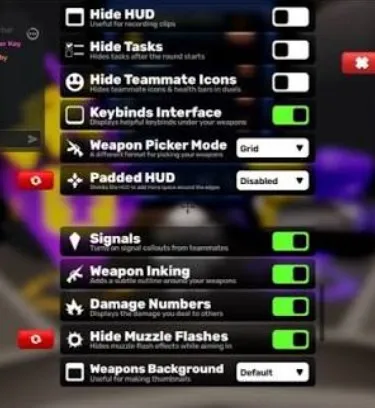
Most competitive players perform best with a medium sensitivity that provides both precision and responsiveness.
General recommendations:
Low Sensitivity: Better for precise tracking and long range accuracy.
Medium Sensitivity: Best overall balance for most players.
High Sensitivity: Faster reactions but harder to control.
Instead of making dramatic adjustments, change your sensitivity in small increments and play several matches before deciding whether another change is necessary.
Consistency is more important than chasing the perfect number.
Best Controller Sensitivity
Controller players face different challenges because analog sticks have a smaller range of motion than a mouse.
A good controller setup should feel responsive without becoming difficult to control.
Recommended priorities:
Medium look sensitivity.
Slightly lower ADS sensitivity.
Small deadzones for quicker response.
Aim assist enabled if supported.
Avoid increasing sensitivity too quickly, as this often leads to inconsistent aiming.
ADS Sensitivity Explained
ADS (Aim Down Sights) sensitivity controls how quickly your aim moves while aiming with a weapon.
Many experienced players prefer a slightly lower ADS sensitivity because it improves precision during medium and long range fights.
Benefits include:
More accurate tracking.
Better recoil control.
Smoother target transitions.
Improved consistency.
Finding a comfortable ADS sensitivity often has a bigger impact than changing your regular look sensitivity.
Best Sensitivity by Playstyle
Your ideal sensitivity depends on how you prefer to approach combat. Rather than copying someone else's settings, choose a sensitivity that complements your strengths and the weapons you use most often.
Aggressive Players
If you enjoy rushing opponents and taking close range fights, you'll benefit from a slightly faster sensitivity.
Advantages include:
Faster turns.
Quicker target acquisition.
Easier tracking during chaotic fights.
Better reaction speed.
Be careful not to increase it too much, as excessive sensitivity can make precise shots more difficult.
Balanced Players
Most players perform best with a medium sensitivity.
This provides:
Good close range control.
Reliable long range accuracy.
Comfortable tracking.
Consistent flicks.
If you're unsure where to start, a medium sensitivity is usually the safest choice.
Precision Players
Players who prefer rifles or long range engagements often choose a lower sensitivity.
Benefits include:
Better precision.
Easier recoil control.
Smoother micro adjustments.
More consistent tracking at distance.
The downside is slower turning speed, so you'll need strong positioning to avoid being caught off guard.
Common Sensitivity Mistakes
Many players struggle with aiming because they constantly change their settings instead of improving their mechanics.
Avoid these common mistakes.
Changing Sensitivity Every Match
One bad game doesn't mean your sensitivity is wrong.
Constantly changing settings prevents your brain from developing muscle memory.
Give yourself several gaming sessions before deciding whether an adjustment is necessary.
Copying Professional Players
Many YouTubers and competitive players use:
Different mice
Different mousepads
Different monitor sizes
Different DPI
Different desk space
Their sensitivity may not feel comfortable on your setup.
Use professional settings as inspiration, not as a rule.
Ignoring DPI
Changing only your in game sensitivity without considering your mouse DPI can produce inconsistent results.
Always think of DPI and sensitivity as a combination rather than two separate settings.
Making Huge Adjustments
Avoid changing your sensitivity by large amounts.
Instead:
Make small changes.
Play several matches.
Evaluate how it feels.
Repeat only if necessary.
Small adjustments are much easier to adapt to.
How to Test Your Sensitivity
Finding the right sensitivity isn't about guessing it's about consistent testing.
A simple routine can help you identify whether your settings feel comfortable.
Step 1
Join a practice match or a low pressure game mode.
Focus on smooth aiming rather than winning.
Step 2
Practice tracking moving opponents.
Ask yourself:
Am I over aiming?
Am I under aiming?
Does my aim feel smooth?
Step 3
Test quick turns.
Can you comfortably react to enemies approaching from behind without losing control?
Step 4
Play at least five to ten matches before making another adjustment.
One match isn't enough to judge whether a sensitivity works well.
Practice Routine for Better Aim
Even perfect sensitivity won't improve your aim without practice.
A simple daily routine can make a noticeable difference over time.
Warm Up
Spend 10–15 minutes practicing before playing competitive matches.
This helps improve:
Crosshair placement.
Tracking.
Flick accuracy.
Reaction time.
Focus on Accuracy
Don't worry about firing as quickly as possible.
Landing consistent shots is far more valuable than spraying bullets.
Review Your Gameplay
After difficult matches, ask yourself:
Was my aim too fast?
Was it too slow?
Did I panic during close fights?
Was my crosshair already in the right position?
Small observations like these lead to steady improvement.
Stay Consistent
Once you've found a comfortable sensitivity, resist the urge to change it after every loss.
Consistency allows muscle memory to develop, making your aim feel more natural with every session.
Conclusion
Choosing the best sensitivity in Roblox Rivals is about finding a balance between speed, precision, and consistency. There isn't a universal setting that works for every player, but understanding how DPI, in game sensitivity, and ADS sensitivity interact will help you create a setup that matches your playstyle. Once you've found settings that feel comfortable, focus on practicing with them instead of making constant adjustments.
As you gain experience, your aim will improve through repetition and muscle memory rather than dramatic changes to your settings. We'll continue updating this guide with new recommendations and optimization tips as Roblox Rivals evolves, ensuring you always have the latest advice to help you play at your best.